Comparing two cuelists

Hi all,

Here is a question for all of you. We are programming for a live audience, but we then also have live cinema relays and/or recordings for future broadcast and/or release on DVD/BlueRay.

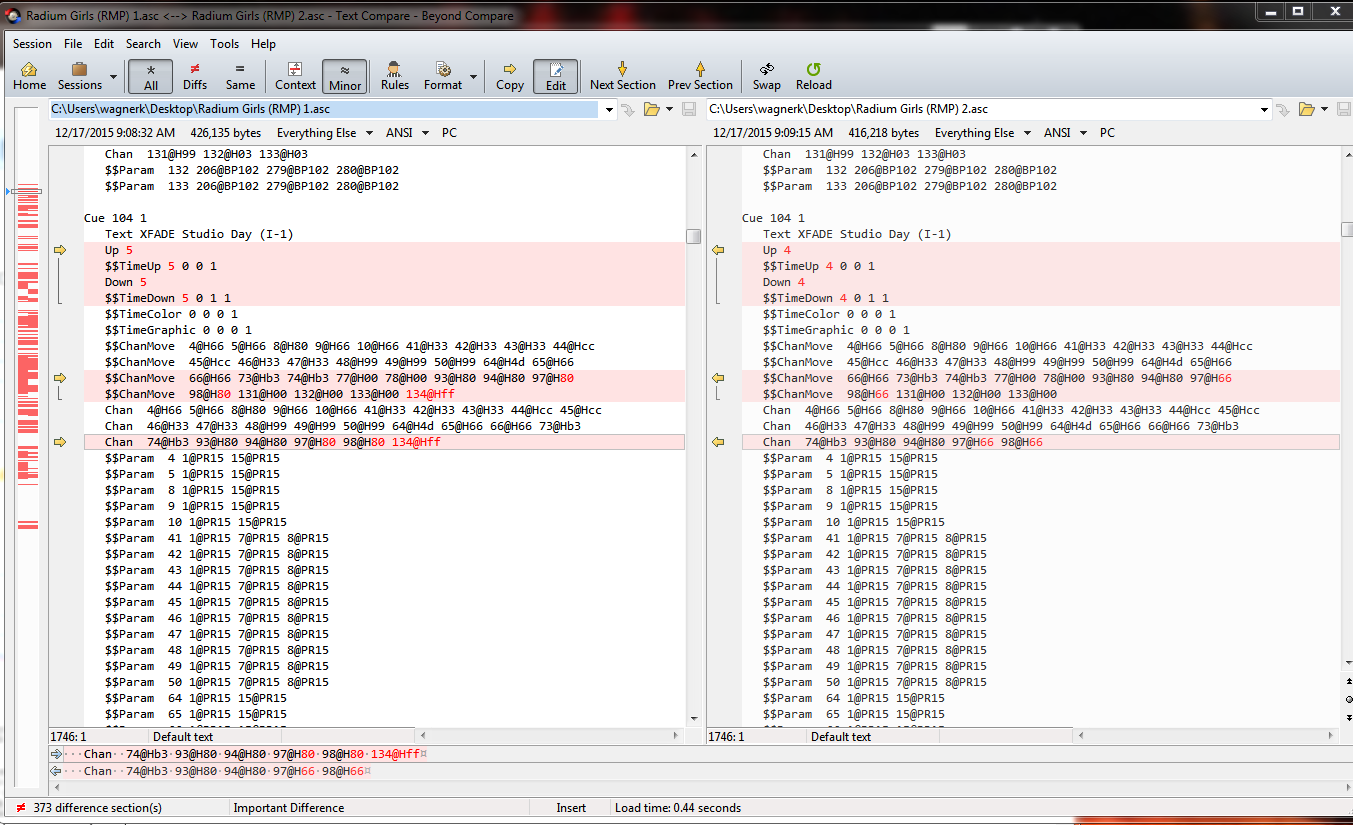
Right now we make a copy of list 1 and use this list 2 to do the required mods for TV. Since we are a rep house we do a lot of revivals and this is where my question comes in. Is there a way to compare two cuelists and show not only added channels, but also the difference in level? Right now Group Cue 2/1 thru x - Group Cue 1/1 thru x gives me the added channels, but I can't see Ch's used in both lists with different intensities...

Any ideas or workarounds are greatly appreciated.

Thank you

Florian 

Parents Reply
  • Hi Nick,

    So I did a bit of brainstorming with a colleague of mine at work and we came up with a solution.....

    1. Delete 2nd list
    2. export it to FFP
    3. Undo delete
    4. Repeat steps 1-3 with List 2
    5. Open file Level_Cue_Param_1 of list 1 in Excel
    6. Copy Columns D,F,I to new spreadsheet
    7. close file (Excel does not like to open two files with the same name)
    8. Open same file for list 2 and copy underneath first set of data
    9. In the data tab use [Remove Duplicates] (select all three columns)
    10. E voila you are left with List 1 and all the way at the bottom of your spreadsheet with the differences to list 1

    Thank you all for your input and guidance......

    (Work)Life is so much better now ;) 

Children
Related