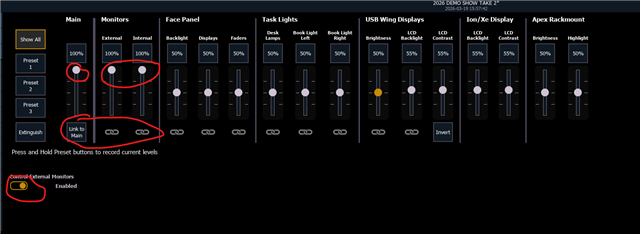
Howdy!
I find that when I open EOS on my laptop, that my external monitors go suuuuper dim. That would be ideal in a theater setting, but in my bright office I can't see the screens :D
When I select a different app like Outlook on that screen, the brightness increases, but goes dim again when I selec the EOS app.
The laptop screen seems to be maintaining preset brightness; not dimming like the monitors.
Laptop is Alienware. Screens are LG, connected via HDMI through a USB-C dock.
Anybody know of a workaround?
Thanks!