Hi,
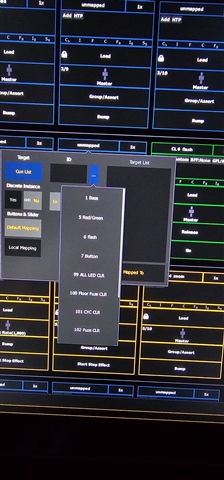
Bug report: I am not able to select a cue list other than #1 on on my faders. Either in typing in targets, or using the drop down menu. I can load them to the faders and accomplish this.
Sorry if this is in the wrong section, first time post.
Hi,
Bug report: I am not able to select a cue list other than #1 on on my faders. Either in typing in targets, or using the drop down menu. I can load them to the faders and accomplish this.
Sorry if this is in the wrong section, first time post.
Welcome! This is the right section for a bug report.
Some questions:
As soon as we know a bit more we'll try to figure out what's happening.

We have an Apex 10 on 3.3.5.2 this issue may be file dependant as in another file it behaves as expected.
After having loaded the cue list via the load button I am able to select the cue list in tab 36 and it will "stick".
Before loading as described above when trying to either selecting from the drop down menu or typing the list number the desired cue list was not loading it on to the fader. It would load only cue list one. After loading cue list 5 and 6 via the load button I am able to freely select the desired cue list from tab 36.
This happened for both cue list 5 and 6.

We have an Apex 10 on 3.3.5.2 this issue may be file dependant as in another file it behaves as expected.
After having loaded the cue list via the load button I am able to select the cue list in tab 36 and it will "stick".
Before loading as described above when trying to either selecting from the drop down menu or typing the list number the desired cue list was not loading it on to the fader. It would load only cue list one. After loading cue list 5 and 6 via the load button I am able to freely select the desired cue list from tab 36.
This happened for both cue list 5 and 6.
www.etcconnect.com