Hello all!
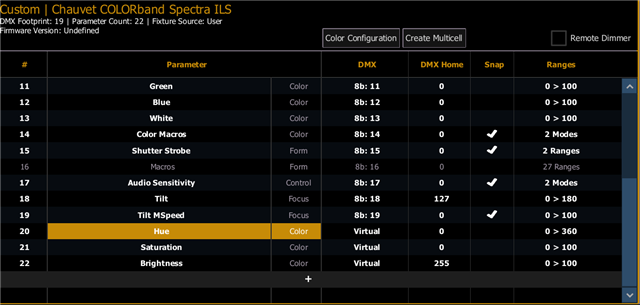
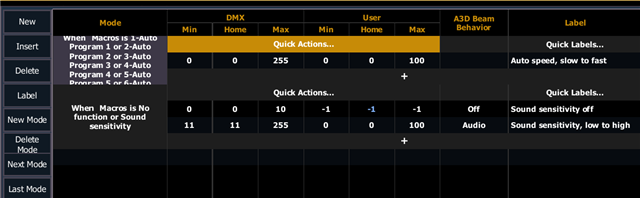
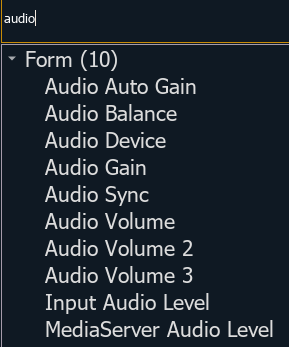
So, I had to write a profile for some new Chauvet strip lights that I purchased; I followed the info in the manual and got the fixtures working. However, the native "macros" (or auto shows for the fixture) are listed in the manual as functions of "audio sensitivity", which is how I wrote them (see the attached pictures).
The only problem is: the auto shows/macros are completely invisible in the ML controls. I can still enter the DMX ranges for them in the command line and get the fixtures to play the auto shows that correspond with the DMX range for the particular auto show. But it's kinda clunky to do that and I would really rather just have a menu of options in the ML controls that I could click on and access while programming.
I managed to get them to show up in the ML controls one time after I finished writing the profile, but then the menu just went away (like, not minimized; it was just gone. I have subsequently not seen the menu items again
So what do I have to do to be able to access these native lighting auto show programs in my ML controls? Did I write something wrong in the fixture profile? Is my EOS just being buggy? Just FYI: I'm running v. 3.3.6 build 60 with fixture library 3.3.6.2 on EOS Nomad system (and an Element classic when I'm at work...) I've attached some screenshots of how I wrote the profile.
Any help you could give would be greatly apprec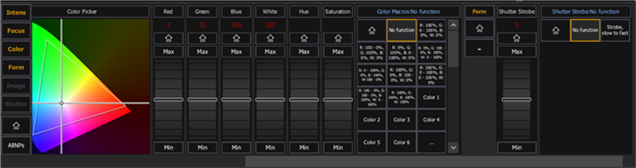 iated!