Profile Color Labels

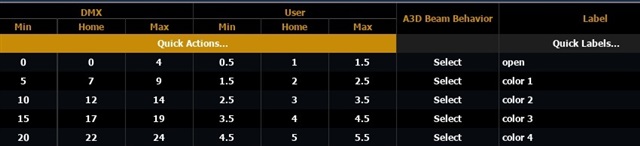
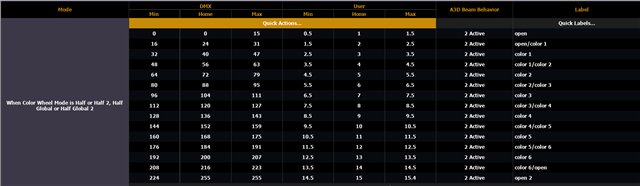
I recently installed a new ML. Most interesting is that in my "Fixtures the colors are "Quick Labelled": "Color 1', "Color 2" and so on.

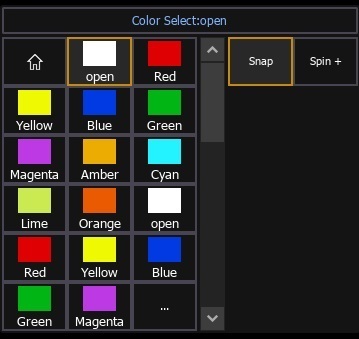
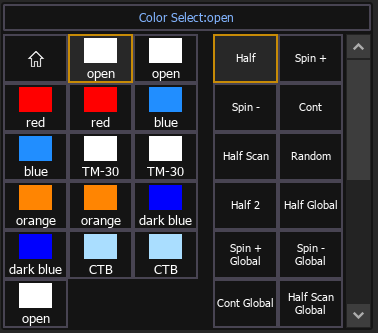
But, back in Live the ML screen shows the actual colors like Red, Green etc! 

I need to change one or two e.g. a Red in the ML screen should be Red/Green on the buttons. Where, back in fixture editing, will I see the legend on the buttons to be able to edit?

Parents
  • Hi Robert. 

    Are you talking about the Icons on the Color wheel (Color Select Channel)?

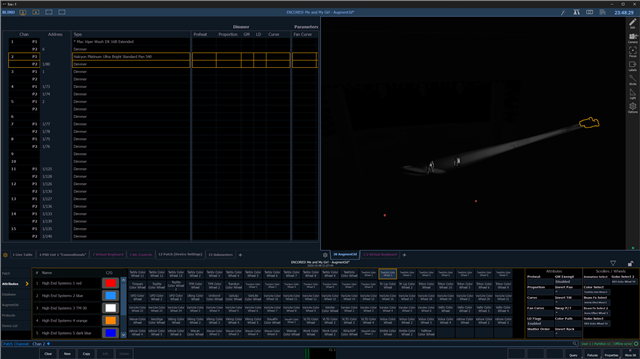
    You can switch what colors show up on the ColorSelect for each channel in Patch under fixture attributes. If you have a non-standard color wheel, you can search for an alternative there. 

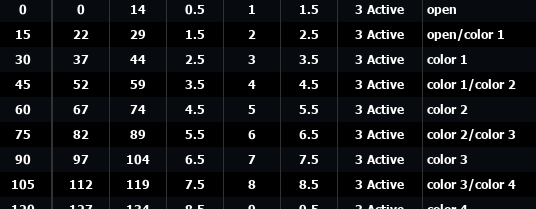
    I am not sure if you're able to create your own color wheels. If you cannot find a matching color wheel, your best bet would be to search for a .gdtf fixture profile in the https://gdtf-share.com/ , edit the color wheel, and then import the gdtf fixture into EOS. 

    Hope this helps.

Reply
  • Hi Robert. 

    Are you talking about the Icons on the Color wheel (Color Select Channel)?

    You can switch what colors show up on the ColorSelect for each channel in Patch under fixture attributes. If you have a non-standard color wheel, you can search for an alternative there. 

    I am not sure if you're able to create your own color wheels. If you cannot find a matching color wheel, your best bet would be to search for a .gdtf fixture profile in the https://gdtf-share.com/ , edit the color wheel, and then import the gdtf fixture into EOS. 

    Hope this helps.

Children
No Data
Related