ML Pan Problem

Asked years ago, but never sorted out:

I have some inexpensive MLs. When turned on the Pan function will not respond to the encoder.

If I point into the ML controls screen XY display and wiggle things around, they shoot all over the place (IE getting P and T info).

After a couple of exercises in the XY screen, the Pan encoder is then likely to work:

We are using an Element 2 with a Lighthack encoder box on the side. We do not have this problem with any other MLs.

This has me very puzzled. These are very nice little lights. But not being able to P&T without a whole heap of fiddling is most frustrating.

Any ideas welcome.

Parents
  • Just to understand the problem a bit more... When you try to control these cheap MLs from the ML Controls Screen (not the light hack) they do work, but for some reason when trying to control from the Lighthack box initially they are non responsive. 

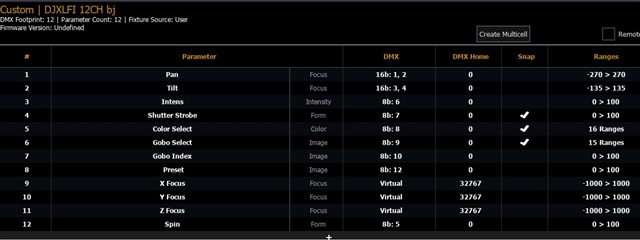
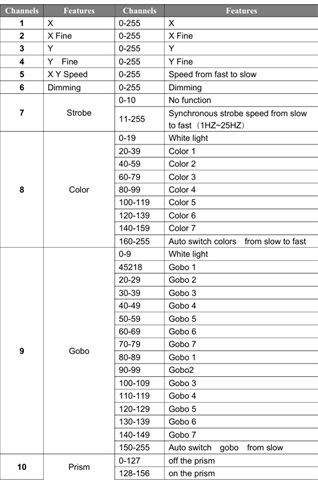
    My initial thought would be that it might be that the light hack is sending a value (more granular) to those fixtures which is causing a problem with them, but when you use the more course control of ML Controls, then they avoid those problematic DMX values? Are the 8 or 16-bit pan/tilt fixtures. I wonder if it is something like that. What is the actual fixture and what fixture profile are you using on the console?

Reply
  • Just to understand the problem a bit more... When you try to control these cheap MLs from the ML Controls Screen (not the light hack) they do work, but for some reason when trying to control from the Lighthack box initially they are non responsive. 

    My initial thought would be that it might be that the light hack is sending a value (more granular) to those fixtures which is causing a problem with them, but when you use the more course control of ML Controls, then they avoid those problematic DMX values? Are the 8 or 16-bit pan/tilt fixtures. I wonder if it is something like that. What is the actual fixture and what fixture profile are you using on the console?

Children
Related