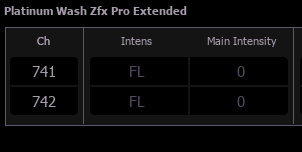
Small gray zero showing up next to channel - Source unknown

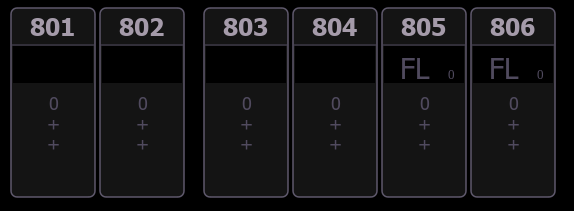
I can't figure out why these two channels (805 and 806) are showing FL and a small 0 next to them. The about fixture details does not show a source of these values.  They are showing up in Live, but not in blind when going through the cues if this helps the detective work.  I am working on Nomad 3.2.2 Build 36 on Windows. 
Parents Reply Children
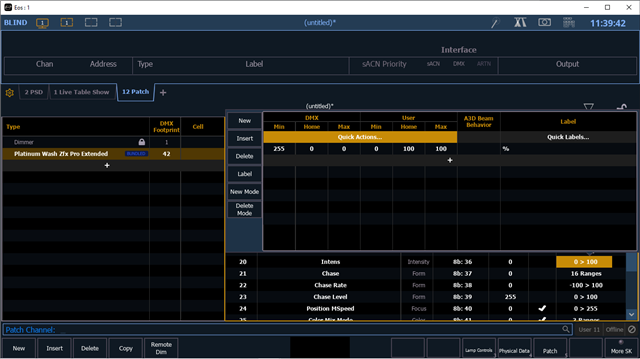
  •   I am still seeing FL in grey by the fixture even though it's not in any cue.  I looked at the fixture property and I am seeing Intensity and Intens both having home values of 0.  Is there any other place this is being set to FL?  I'd prefer to have the home value be 0, not FL and not need to track this from the start of the show.

  • I think it has to do with how EOS supports multiple intensity parameters perhaps?  I see in there are multiple intensities, but the manual on page 45 shows what EOS is mapping as the Color Presets Dimmer with a default of 100.  I am not using any of the color presets.  

      platinum_wash_zfx_pro_1_2_final.pdf

     Ideally I do not want to have to track this value through the cues.  What do you recommend as a fix for this?

  • 2 things here.

    1. Since it is gray, it is a home value and you do kot track any value in your cue.

    2. Since you know it is a home value, while gray, and the Fixture is at 0 Homed, have a look in the about tab and look into the source of it. Maybe a home preset? 

  • Thanks for your reply.  The light is turned on by default with the intensity home of 100.  If I turned it off for opening of house for example, I'd have to track that forward.  Ideally the value would be 0 to start.  

    The about tab does not show this, but I believe it's because of how EOS handles fixtures with multiple intensity values.

  • I had a short look into the Fixture.

    The value of 100 is the User Value, programed in the Fixture

    The 0 in the Main window is just the DMX Value-Home.

    -----

    The wording of intensity it not the best, in my eyes. because the manual says that dmx 36 is the Color-Preset-Dimmer. A crossfade or Color-Macro-Intensity is more fitting.

    actually this should not do anything for your int on stage.
    Better rewrite the fixture. because if you like to edit it on the fly, you will never realy do anything, because the main int do not listen to something like [5] [at] [35] [Enter]. 

    This might only do something if you use the Color macros.

    what a fixture. The Elation way is something i never understood.

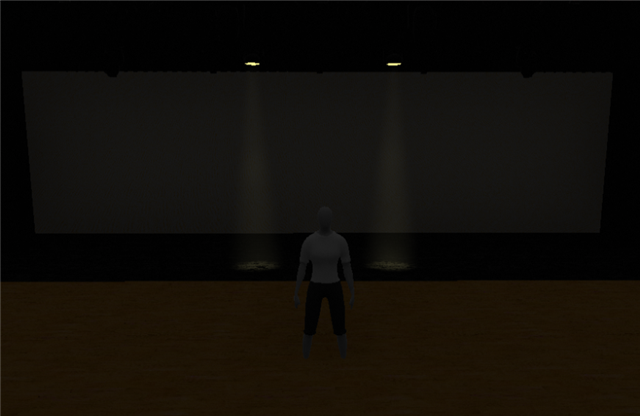
  • Thanks for the more detailed review.  Maybe I'm not understanding, but without setting any intensity values with a new fixture, I am seeing these lit up both in nomad as well as in the theatre.  I started a brand new show file to make sure, and for whatever reason EOS in the DMX is calling it intensity...

Related