Hey all,
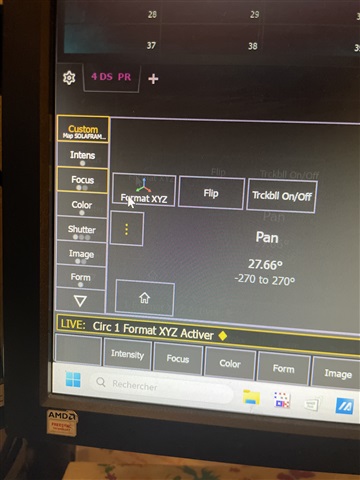
I've reported before seeing instances where a channel in a cue ended up with palette data for Pan/Tilt, but no palette date for XYZ, which sometimes led to the situation where light could see the pan/tilt values changing but the XYZ values not changing from cue to cue.
I could never quite figure out the cause of this, but now I have (though this starts of being a report about one issue but turns out to be a report about another...):
It appears that selective record (ie. chan num-RECORD CUE) and, in blind, chan-RECALLFROM LIVE do not correctly get the XYZ values. Worse, they then seem to leave channel information in a cue in a weird state whereby you then can't get the XYY data into the cue however you try.
So:
LIVE
1 (adjust pan tilt so red manual data)
1 PAN TILT RECORD PRESET 970 - now Pan, Tilt, X, Y, Z all show (correctly) as being in Preset 970
then either:
1 RECORD CUE 1 - but now in cue 1, chan 1 Pan/Tilt show in Preset 970, chan 1 XYZ show as grey numbers, not in a preset, though I believe they are the correct numbers
or:
BLIND
Be in some cue where where chan 1 is tracking
1 RECALL FROM LIVE - but again, in that cue chan 1 Pan/Tilt show in Preset 970, chan 1 CYZ show as grey numbers, not in a preset, though again I believe they are the correct numbers.
What's weird is that if you notice this ha happened and attempt to fix it either by:
- in live, going RECORD CUE 1
- in blind, in that cue going 1 PRESET 970
you still don't get presets showing in XYZ.
Digging around more, I suspect the problem is actually that by using PAN TILT as a record filter, the XYZ values are not actually being stored into the preset, even though it looks like they are because:
a) if you go 1 PAN TILT RECORD PRESET 1, then all of p/t/x/y/z show as being in that preset in the live screen
b) if you then go RECORD CUE 1, all of p/t/x/y/z show as being in that preset in the cue in the live screen - ie it looks exactly the same
so the implication is absolutely that x/y/z are being stored in the preset. The only way you find they're not is by either looking in the preset in blind, or by hitting one of the scenarios above.
Also worth noting that a similar, but not quite the same, thing happens the other way round, ie:
1 XYZ RECORD PRESET 975
leaves the live screen showing P/T/X/Y/Z in Pr975 with p/t in red, x/y/z greyed out - ie. no indication of what *actually* got stored into the preset. If you look in the preset you then discover that you now have XYZ value stored (but showing greyed out), but no p/t values stored. If you now go 1 SNEAK then go 1 PRESET 975, you do somehow now see all of p/t/x/y/z showing the preset name, but with p/t in red, xyz greyed out.
Once you realise all this, storing the preset by going:
1 PAN TILT X Y Z RECORD PRESET 1
cures all of the problems because the X/Y/Z values do now appear in the preset. But the onscreen indications as you complete any of these different record commands are exactly the same - the XYZ values show the preset name/number in grey - so there is no way of knowing anything different has happened. And the fact that a straight RECORD command does put the XYZ values looking like they're in the preset in the cue also feels strange given that there's no XYZ data actually stored in the preset. (And I realise they by 'stored' I don't really mean 'stored' since the values are clearly being derived from the p/t values via the Augment3D model which is why they show greyed out).
Something about this feels wrong...
Rob.
(This is 3.3.5b69 on an Apex5(main)/Ti(backup), programming on the Ti)